



In today’s digital world, a website is more than just an online presence—it is a business tool, a sales agent, and a customer service representative working 24/7. The front-end of a website determines how users feel, how long they stay, and whether they take action or leave.
If your website looks outdated, loads slowly, or confuses visitors, you are losing customers daily—even if your products and services are excellent.
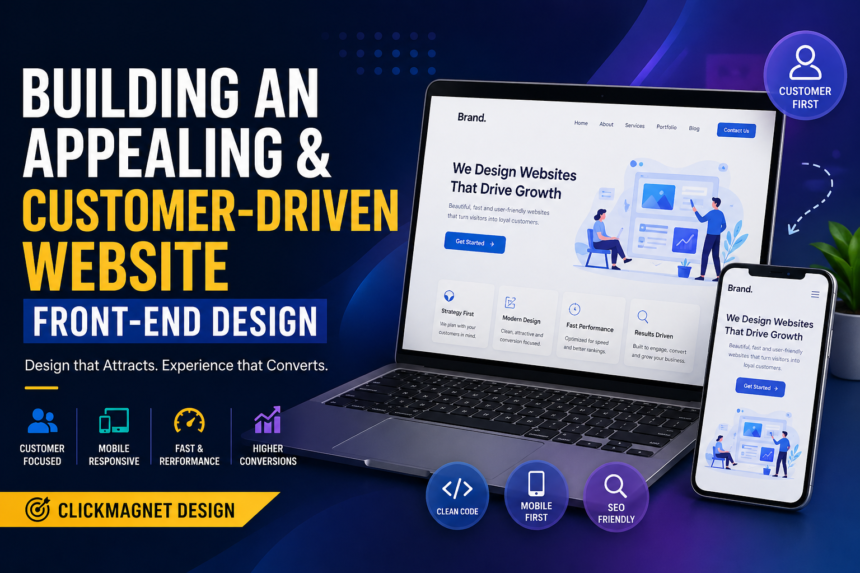
This is why businesses are now focusing on Customer-Driven Front-End Design, also known as ClickMagnet Design—a modern approach to designing websites that attract attention, build trust, and convert visitors into loyal customers.
What is Front-End Design?
Front-end design refers to everything users see and interact with on a website. It includes:
Layout and structure
Fonts and colors
Buttons and navigation menus
Images, icons, and animations
Responsiveness on mobile devices
Speed and smooth performance
Front-end design is powered by technologies like HTML, CSS, JavaScript, and frameworks such as React, Bootstrap, Tailwind CSS, and Vue.js.
What Makes a Website Customer-Driven?
A customer-driven website is designed based on what the customer wants—not what the developer or business owner likes.
A customer-driven front-end design focuses on:
Easy navigation
Clear information
Attractive layout
Fast loading speed
Trust-building visuals
Strong call-to-action buttons
Simple checkout or contact process
The goal is to make the user experience so smooth that visitors naturally want to stay, explore, and take action.
READ ALSO: The Rise of Everyday AI: How Smart Tools Are Shaping Our Lives
Why Front-End Design is the First Key to Business Growth
Many businesses invest heavily in ads, but forget that their website is where customers decide whether to trust them or not.
A well-designed front-end helps to:
1. Create a Strong First Impression
Research shows that users judge a website in seconds. If the design looks poor, visitors assume the business is not serious.
A clean front-end gives the impression of professionalism, quality, and reliability.
2. Improve User Engagement
Good UI keeps people browsing longer, clicking more pages, and interacting with your content.
3. Increase Sales and Conversions
The better your layout, buttons, and page structure, the more likely users will buy, register, or contact you.
4. Boost SEO Ranking
Google rewards websites that are fast, mobile-friendly, and user-centered. So a strong front-end directly improves your SEO.
Core Principles of ClickMagnet Design (Viral Keyword Strategy)
To build a website that attracts customers like a magnet, you must apply modern UI/UX principles.
Below are the most effective front-end strategies used by high-converting websites.
1. Use a Clean and Modern Layout
An appealing website is not crowded. It is well-organized and structured.
Best Practices:
Use whitespace to reduce visual stress
Avoid too many colors
Keep sections separated properly
Use grid systems for balance
A clean layout makes content easier to read and gives visitors confidence.
2. Make Navigation Simple and Predictable
Your menu should be easy to find and easy to understand.
Effective Navigation Tips:
Keep the menu at the top
Use clear labels like Home, About, Services, Contact
Add a search bar if the site is content-heavy
Include a sticky header for easy scrolling
Visitors should not struggle to find what they need.
3. Choose Colors That Influence Customer Emotion
Colors affect user behavior and decision-making.
Color Psychology Examples:
Blue: Trust and professionalism
Green: Growth, money, health
Red: Urgency and attention
Orange: Action and excitement
Black: Luxury and elegance
For better results, use 2–3 main colors and keep them consistent.
4. Use Typography That is Easy to Read
Text is one of the most important elements of front-end design.
Typography Rules:
Use readable fonts like Poppins, Roboto, Open Sans
Avoid tiny font sizes
Keep proper spacing between lines
Use headings to structure content
If your visitors can’t read easily, they won’t stay.
5. Design Mobile-First for Modern Users
Over 70% of users browse websites using mobile devices. If your website is not responsive, you are losing traffic.
Mobile-First Features:
Responsive navigation menu
Clickable buttons
Proper spacing between elements
Images optimized for small screens
A mobile-friendly website is not optional—it is a requirement.
6. Optimize Website Speed for Better Performance
A slow website frustrates visitors and reduces your Google ranking.
Speed Optimization Tips:
Compress images using WebP
Minify CSS and JavaScript
Use caching and CDN
Avoid unnecessary plugins
Reduce heavy animations
A customer-driven website must load fast, even on poor networks.
Building Trust Through Visual Design
Customers don’t just buy products—they buy confidence.
Your front-end must visually communicate that your brand is safe and reliable.
1. Use High-Quality Images and Real Branding
Avoid random stock images that look fake. Use:
Real business photos
Product images
Staff images
Brand logo and identity
This builds authenticity and increases trust.
2. Add Testimonials and Reviews
People trust what others say more than what you say.
A good testimonial section should include:
Customer name
Photo (optional but powerful)
Review statement
Star rating
This is one of the strongest conversion boosters.
3. Use Trust Elements
These include:
SSL security badge
Payment icons (Visa, MasterCard, PayPal)
Business registration proof
Contact details
Live chat support
Trust elements reduce fear and increase sales.
Creating an Attractive Call-to-Action (CTA) Design
Your website should guide users toward one action.
A CTA is what tells the visitor what to do next.
Examples of Strong CTA Buttons:
Get Started
Contact Us
Book a Free Consultation
Download Now
Shop Now
Request a Quote
CTA Design Tips:
Use bold colors
Make buttons large enough
Place CTA above the fold
Repeat CTA multiple times in a natural way
A good CTA is a major part of ClickMagnet Design.
Front-End UI Features That Improve Customer Experience
A modern front-end should include interactive and user-friendly features.
1. Hero Section That Captures Attention
Your hero section is the first visible part of your website.
A strong hero section should contain:
A bold headline
A short description
A CTA button
A relevant image or illustration
Example Headline:
“Grow Your Business With a Website That Converts Visitors Into Customers.”
2. Smooth Animations (But Not Too Much)
Animations improve professionalism when used wisely.
Examples:
Hover effects on buttons
Fade-in effects on scroll
Smooth page transitions
Avoid excessive animations because they slow down performance.
3. Clear Product or Service Cards
Service cards make it easier for visitors to understand what you offer.
A perfect service card includes:
Icon
Title
Short description
Link to learn more
This makes your site look structured and modern.
4. Footer That Completes the Website
Many websites ignore footers, but they are powerful.
Your footer should include:
Quick links
Contact information
Social media icons
Copyright notice
Newsletter subscription
A professional footer increases credibility.
Customer Psychology: Designing for Human Behavior
A customer-driven website is not just about beauty—it is about psychology.
Here are proven psychological principles:
1. The Rule of Simplicity
People prefer simple designs. Complexity reduces action.
A simple website increases conversions.
2. Visual Hierarchy
This means guiding attention to the most important items first.
Use:
Big headings
Bold CTA buttons
Highlighted sections
3. FOMO and Urgency
Adding urgency motivates customers.
Examples:
“Limited Offer”
“Only 3 Slots Left”
“Discount Ends Today”
Use it carefully to avoid appearing dishonest.
SEO Compliance in Front-End Design
Front-end design impacts SEO more than many people realize.
A well-designed front-end improves SEO by improving user experience and reducing bounce rate.
Important SEO-Friendly Front-End Practices
1. Use Proper Heading Structure
Use:
H1 for the main title
H2 for major sections
H3 for sub-sections
Google uses headings to understand your content.
2. Optimize Images
Always:
Use descriptive image names
Add ALT tags
Compress image sizes
Example ALT Tag:
alt=”customer driven front-end website design layout”
3. Make URLs Clean
Bad URL:
www.site.com/page?id=892
Good URL:
www.site.com/customer-driven-frontend-design
4. Improve Core Web Vitals
Google ranks websites higher if they load fast and respond smoothly.
Core Web Vitals include:
Largest Contentful Paint (LCP)
First Input Delay (FID)
Cumulative Layout Shift (CLS)
Modern Front-End Tools for Better Design
To build a professional customer-driven website, developers use modern tools such as:
Design Tools
Figma
Adobe XD
Canva (for basic assets)
Development Tools
HTML5, CSS3, JavaScript
Bootstrap / Tailwind CSS
React.js / Vue.js
GitHub for version control
Performance Tools
Google PageSpeed Insights
GTmetrix
Lighthouse Audit
These tools help create high-quality front-end designs faster.
Common Mistakes to Avoid in Front-End Website Design
Even good developers make mistakes that ruin user experience.
Avoid these errors:
1. Too Many Popups
Popups can annoy users and increase bounce rate.
2. Poor Color Combination
Bad colors reduce readability and professionalism.
3. Slow Loading Images
Large images slow down the website.
4. Weak CTA Buttons
If visitors don’t know what to do next, they leave.
5. Non-Responsive Layout
A website must work perfectly on mobile.
Front-End Design Checklist for a Customer-Driven Website
Before launching, ensure your website has:
- Mobile responsiveness
- Clean layout with spacing
- Fast loading speed
- Clear CTA buttons
- SEO-friendly headings
- Professional fonts and colors
- Trust-building sections
- Simple navigation
- High-quality images
- Optimized performance
This checklist ensures your site is ready for customers.
Conclusion: The Future of Website Design is Customer-Driven
A website is no longer just a digital flyer. It is a conversion machine.
To build an appealing and customer-driven front-end design, you must focus on:
user experience
speed and performance
trust-building layout
mobile-first design
strong CTA structure
SEO compliance
When all these are properly implemented, your website becomes a business asset that attracts traffic, keeps visitors engaged, and increases sales.
That is the power of ClickMagnet Design.